
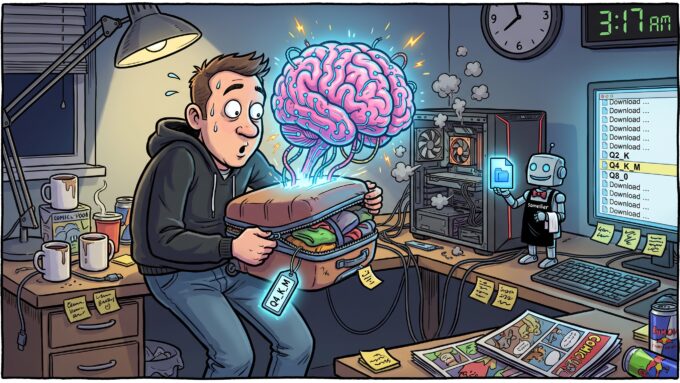
GGUF, Q4_K_M and Other Things That Look Like Wi-Fi Passwords: A Field Guide to Running AI Locally

SARCASM WARNING! (Also: maths warning. There are numbers in here, and annoyingly, they’re the useful part.)
Well hello there, my RAM-anxious friends! In my last post I pulled a model ending in Q4_K_M, called it “the model’s travel-size shampoo”, and sprinted off to talk about tunnels. That was lazy of me. Today we pay that debt.
Because here’s what happens to everyone the first time. You find the model the whole internet is excited about. You click through to download it. And instead of a nice friendly button, you get this:
model-Q2_K.gguf        3.2 GB
model-Q3_K_M.gguf      4.0 GB
model-Q4_0.gguf        4.7 GB
model-Q4_K_M.gguf      4.9 GB
model-IQ4_XS.gguf      4.5 GB
model-Q5_K_M.gguf      5.7 GB
model-Q6_K.gguf        6.6 GB
model-Q8_0.gguf        8.5 GB
Same model. Eight files. Names that look like Wi-Fi passwords from a hotel in 2009. Nobody explains the difference, so you do what every sensible adult does when faced with a wine list in a language they don’t speak: pick the one in the middle and hope.
That works more often than it should. But by the end of this post you’ll read those filenames like a sommelier reads a label, and you’ll know exactly why the middle one is usually right, and when it very much isn’t.
🏠 Why Run It Yourself When the Cloud Is Right There?
Let’s get the uncomfortable truth out of the way first. The big hosted models are better at hard problems. Anyone telling you the model on your gaming PC beats them at serious reasoning is selling you a course.
But “the smartest possible answer” isn’t the only thing that matters. Running a model locally buys you four things no API will ever sell you:
- Your data stays home. Contracts, client code, incident logs, that spreadsheet called
FINAL_v7_REALLY_FINAL.xlsx. None of it leaves the machine. Your DPO might actually smile. - No meter running. Once you own the hardware, a million tokens costs you some electricity and a slightly warmer room.
- Nobody changes it behind your back. The file you download today behaves exactly the same in three years. No surprise “improvements”, no deprecation emails, no new rate limits.
- It works offline. On a plane. In an air-gapped lab. During the next big cloud outage, while everyone else refreshes a status page.
The catch? You give up some raw brainpower, and you become your own infrastructure team. Congratulations on the promotion. There is no pay rise.
🧠 A Model Is Just a Very, Very Large Spreadsheet
Strip away the hype and a language model is, physically, a giant pile of numbers called weights. An “8B” model has about 8 billion of them. A “70B” has 70 billion. That’s it. No soul. No consciousness. Just the world’s most expensive spreadsheet.
Those weights normally ship in 16-bit precision: two bytes each. So the maths for the original, untouched model is brutal:
- 8 billion × 2 bytes = 16 GB
- 70 billion × 2 bytes = 140 GB
Most consumer graphics cards have between 8 and 24 GB of memory. A full-fat 70B model doesn’t fit on any of them. It doesn’t fit on most workstations. It barely fits in the budget meeting.
The fix is quantization: store each weight with fewer bits (8, 5, 4, even 2) and accept a little rounding error in exchange for a model a quarter of the size.
Think of it as JPEG compression for brains. A RAW photo is huge and perfect. A high-quality JPEG is a fraction of the size and nobody can tell. Crank the compression and you start getting blocky smudges round the edges. Crank it further and your holiday photos look like they were painted by a potato.
Model weights behave the same way. Light compression: invisible. Heavy compression: the model gets quietly dumber. It forgets a fact here, mangles a code block there, wanders off-topic in long answers. Extreme compression: fluent, confident nonsense.
And here’s where the analogy breaks, which is the important bit. A badly compressed JPEG looks bad. You notice instantly. A badly compressed model doesn’t look blurry at all. It looks like a consultant: articulate, confident, and wrong. You only find the damage when you check its work, which is exactly why you need to know what you’re downloading.
📦 GGUF: Flat-Pack Furniture, Allen Key Included
GGUF is the file format from the llama.cpp project, introduced in August 2023 to replace its older GGML format. It’s what sits underneath Ollama, LM Studio, koboldcpp, Jan, and most of the “just run the thing” tools.
Its superpower isn’t compression. It’s that everything comes in one box:
- the quantized weights;
- the architecture (how many layers, how attention is wired);
- the tokenizer (how text gets chopped into pieces the model understands);
- the chat template (how a conversation is laid out so the model knows who’s talking);
- metadata like the recommended context length.
Before GGUF, running a model meant juggling a weights file, a tokenizer file, a config file, and a prayer that they all matched. Last time, IKEA delivered the wardrobe without the Allen key. GGUF is the version where the key, the screws, and the instructions are all taped inside the box.
Its other killer feature is partial GPU offload. A GGUF model can run on the CPU, the GPU, or both at once: put as many layers as fit on the graphics card and run the rest from ordinary RAM. That’s why GGUF will run (slowly) on hardware that “can’t fit” the model, while most GPU-only formats just throw an out-of-memory error and walk off.
🗂️ The Other Formats You’ll Trip Over
| Format | What it is | Use it when | Vibe |
|---|---|---|---|
| Safetensors (FP16/BF16) | The original, uncompressed weights | Fine-tuning, research, datacentre budgets | RAW photo |
| GGUF | llama.cpp’s all-in-one quantized file | CPU, Apple Silicon, mixed CPU+GPU, “I just want it to work” | Swiss Army knife |
| MLX | Apple’s native format | Apple Silicon, where it’s often a bit faster than GGUF | Turtleneck |
| GPTQ / AWQ | GPU-only 4-bit methods | Serving with vLLM on NVIDIA cards | Server room |
| EXL2 / EXL3 | ExLlama’s flexible-bitrate formats | Model fits entirely in NVIDIA VRAM and you want maximum speed | Racing stripes |
One person, one machine? GGUF is the right default. Serving a whole team from one GPU box? Look at vLLM with AWQ, GPTQ or FP8 instead. GGUF was built for your desk, not for a hundred users at once.
🔬 Q4_K_M: A Letter-by-Letter Autopsy
Back to that wall of files. Every suffix is a recipe. Let’s dissect one.
The number: bits per weight
Q4 means each weight is stored in roughly 4 bits. Q8 means roughly 8. Q2 means roughly 2 and a lot of regret. Smaller number, smaller file, more rounding error. Hold on to the word “roughly”. It comes back to bite later.
_0 and _1: the boomer formats
Q4_0, Q4_1, Q5_0 and Q8_0 are the original llama.cpp recipes. They chop the weights into blocks of 32 and give each block one shared scale (_0), or a scale plus an offset (_1).
Picture a group photo where everyone has to share one exposure setting. Simple, fast, fine on a good day. But if one person in the block is an outlier (wearing a high-vis vest, say), everyone else gets rounded badly to make room for them. Just like a shared office thermostat.
Q8_0 is still excellent, because at 8 bits there’s precision to spare. But Q4_0 and Q4_1 are retirement material. The next family beats them at the same size.
_K: the K-quants
The K-quants (Q2_K to Q6_K), added to llama.cpp in mid-2023, are smarter. They group weights into super-blocks of 256, split those into smaller sub-blocks, give each sub-block its own scale, and then compress the scales themselves to claw back space. Compression inside compression. Very Inception.
Back to the group photo: now every small cluster of people gets its own exposure. One person in high-vis no longer ruins it for everyone else. Same file size, measurably better accuracy.
_S, _M, _L: coffee sizes, except medium is actually the right answer
This is the bit almost nobody explains. A model isn’t one uniform blob. It’s hundreds of separate weight matrices (tensors), and some of them matter far more than others. Certain attention and feed-forward tensors are drama queens: round them a little too hard and the whole model suffers.
So the last letter tells you how generous the recipe is with the drama queens:
_S(small): nearly everything at the base bit-width. Smallest file, most damage._M(medium): the sensitive tensors get bumped up a tier. InQ4_K_M, some of them get 6 bits. This is the sweet spot._L(large): even more tensors upgraded. Only offered on low-bit quants likeQ3_K_L, where every extra bit is worth fighting for.
That’s why Q4_K_M became the community default, and the one Ollama usually hands you: it spends the extra bits exactly where they buy the most brain.
IQ: the i-quants (for when you’re desperate)
Then there’s the newer family with names that sound like rejected Star Wars droids: IQ1_S, IQ2_XXS, IQ3_XXS, IQ3_M, IQ4_XS, IQ4_NL.
Instead of rounding each weight to the nearest mark on a ruler, i-quants snap groups of weights to the nearest entry in a carefully designed codebook, a lattice of patterns chosen to match what real weights look like. It’s cleverer packing, and it shines exactly where K-quants start falling apart: below 4 bits.
Two catches, because there are always catches:
- Speed depends on your hardware. Unpacking a codebook is more work per weight. On a GPU you’ll barely notice. On an older CPU, an i-quant can be noticeably slower than a K-quant of the same size.
- They really want an imatrix (next section). An i-quant made without one is a wasted opportunity.
imatrix: free quality you didn’t know you had
You’ll see repos labelled “imatrix quants”, or files with i1 in the name. An importance matrix is made by running sample text through the full-precision model and recording which weights actually do the heavy lifting. The quantizer then protects those and squashes the freeloaders.
Same file size, less damage, biggest payoff at low bit-widths. It’s like discovering your credit card came with airport lounge access all along. When you have the choice, take the imatrix version.
📉 So How Much Dumber Does It Actually Get?
Enough metaphors. Receipts. Here’s llama.cpp’s own reference table for Llama 3 8B, straight from the source code of its quantization tool. “Perplexity increase” measures how much more surprised the compressed model is by real text than the original. Lower is better. Zero means no measurable damage.
| Quant | File size | Real bits/weight | Perplexity increase | Verdict |
|---|---|---|---|---|
| Q8_0 | 8.5 GB | 8.5 | +0.003 | Identical twin |
| Q6_K | 6.6 GB | 6.6 | +0.022 | Effectively lossless |
| Q5_K_M | 5.7 GB | 5.7 | +0.057 | You’d need a lab to tell |
| Q4_K_M | 4.9 GB | 4.9 | +0.175 | The sweet spot |
| Q4_K_S | 4.7 GB | 4.7 | +0.269 | Fine if every MB counts |
| Q4_0 | 4.7 GB | 4.6 | +0.469 | Same size as Q4_K_S, twice the damage. Why? |
| Q3_K_M | 4.0 GB | 4.0 | +0.657 | Starting to forget things |
| Q2_K | 3.2 GB | 3.2 | +3.520 | Lights on, nobody home |
Source: tools/quantize/quantize.cpp in llama.cpp. Sizes converted from the GiB figures listed there.
Three things jump out, and they’re the whole point of this post:
One: the damage is not a straight line. From 8 bits down to 5 costs almost nothing. From 4 to 3 costs more than everything above it put together. From 3 to 2, the damage goes up five-fold. Quality doesn’t leak out slowly. It holds, holds, holds, then falls off a cliff. Much like a project timeline.
Two: look at Q4_0 next to Q4_K_S. Practically the same size. The old format does almost twice the damage. That single row is the entire case for K-quants.
Three: remember “roughly”? Here it is. Q4_K_M actually lands at 4.9 bits per weight, not 4. The upgraded tensors, the stored scales and the higher-precision embedding and output layers all add up. When you’re working out whether something fits, use the real number, not the label. The label is marketing.
One honest caveat before anyone tattoos that table on their arm. Perplexity is a blunt instrument. It averages over a lot of text, and it can hide damage that’s concentrated in one skill: maths, code, long documents, non-English languages. Serious quantizers increasingly also report KL divergence, which measures how far the compressed model’s predictions drift from the original’s, token by token. If one task matters to you, test that task. Don’t trust any single number. Including mine.
🐘 Big and Squashed Beats Small and Pristine
Here’s the decision people actually face: I’ve got 24 GB. Do I run a 14B model at Q8, or a 32B model at Q4?
Instinct says “the higher-quality file wins”. Instinct is usually wrong. A bigger model at a sensible quant generally beats a smaller model at high precision, because the bigger model simply knows more and reasons better, and Q4_K_M only shaves a sliver off that. A slightly blurry photo of the Mona Lisa still beats a crystal-clear photo of a stick figure.
The rule of thumb:
Pick the biggest model that fits at Q4_K_M or better. Only go below Q4 when the jump in model size is large.
Where the rule breaks: below about 3 bits the cliff is so steep that a crushed big model can lose to a clean small one. And a model from a newer generation often beats an older one twice its size outright. “Bigger wins” means bigger within the same family and era, not “grab the 2023 70B because the number is larger”. That’s how you end up with a very large, very confident dinosaur.
🧩 Mixture-of-Experts: the plot twist
More and more open models are Mixture-of-Experts (MoE): Mixtral, DeepSeek, the Qwen3 MoE models, OpenAI’s gpt-oss. They come with two numbers, like 30B-A3B: 30 billion parameters in total, but only about 3 billion active for any single token. It’s a company of 30 specialists where only three turn up to each meeting. Which, to be fair, is also how most companies work.
- Memory scales with the total. You still have to store all 30B somewhere.
- Speed scales with the active count. Each token only touches about 3B of them.
So an MoE model needs the memory of a 30B model but writes at roughly the speed of a 3B one. That makes them brilliant for machines with lots of ordinary RAM and a modest GPU. llama.cpp can even keep the bulky expert weights in system RAM while the always-used layers sit on the GPU.
🧮 Will It Fit? Maths You Can Do on a Napkin
Step 1: the weights
Size in GB ≈ billions of parameters × real bits per weight ÷ 8
| Model size | Q4_K_M (~4.9 bits) | Q8_0 (~8.5 bits) |
|---|---|---|
| 8B | ~4.9 GB | ~8.5 GB |
| 14B | ~8.6 GB | ~15 GB |
| 27B | ~16.5 GB | ~29 GB |
| 32B | ~19.6 GB | ~34 GB |
| 70B | ~43 GB | ~74 GB |
Spot the 27B row? That’s where last post’s “about 17 GB” came from: 27 billion × 4.9 bits ÷ 8 ≈ 16.5 GB. And that’s why one 15 GB Kaggle T4 couldn’t hold it and two could. See? Napkin maths. Not witchcraft.
Step 2: the KV cache (the bit that ambushes everyone)
While the model reads and writes, it keeps a running memory of every token in the conversation. That’s the KV cache, and it grows with every token. On long conversations it can rival the model itself.
For Llama 3 8B at the default 16-bit precision, the cache costs 128 KB per token. Sounds tiny. Now multiply:
- 8,000 tokens → about 1 GB
- 32,000 tokens → about 4 GB
- 128,000 tokens → about 16 GB, more than three times the size of the Q4_K_M model itself
This is the number one reason a model that “definitely fits” crashes or crawls the moment you paste in a long document. It’s also why Ollama ships with a small default context: a bigger window costs real memory. Last time we bumped it to 32K with OLLAMA_CONTEXT_LENGTH. Now you know what that bump costs.
Pro tip: llama.cpp can compress the cache too. --cache-type-k q8_0 --cache-type-v q8_0 roughly halves it for very little quality loss. Ollama exposes the same thing through OLLAMA_KV_CACHE_TYPE=q8_0, with flash attention switched on.
Step 3: leave headroom
Add 1 to 2 GB for the runtime, its scratch buffers and, if it’s also your display card, your desktop. A model that fits with 100 MB to spare will find a way not to fit. It’s like packing a suitcase to exactly 23.0 kg: the airport scale will disagree.
🖥️ Where to start, by hardware
| What you’ve got | Comfortable choice |
|---|---|
| 8 GB VRAM / 16 GB laptop | 7–9B at Q4_K_M to Q5_K_M |
| 12–16 GB VRAM | 12–14B at Q4_K_M to Q6_K |
| 24 GB VRAM | ~30B-class at Q4_K_M, or 14B at Q8_0 with a long context |
| 32–64 GB Mac (unified memory) | 30B-class at Q6_K to Q8_0; 70B-class at Q3–Q4 on the bigger configs |
| 64 GB+ system RAM, modest GPU | Large MoE models with the experts parked in RAM |
🐌 Why Is It So Slow? (It’s the Memory, Not the Maths)
Local AI has two speeds, and they’re limited by completely different things.
Prompt processing (reading your input) is limited by raw compute. GPUs flatten it; CPUs suffer. That’s the awkward silence after you paste a 20-page PDF into a CPU-only setup.
Token generation (writing the answer) is limited by memory bandwidth. To produce each token, the machine has to read essentially every active weight from memory, once. Every. Single. Token. So the speed limit is roughly:
Max tokens per second ≈ memory bandwidth ÷ size of the model in memory
Plug in some real hardware for a 4.9 GB Q4_K_M 8B model:
- Dual-channel DDR5 desktop (~80 GB/s): ceiling ≈ 16 tokens/s
- Apple M-series Max chip (~400–550 GB/s): ceiling ≈ 80–110 tokens/s
- RTX 4090 (~1,000 GB/s): ceiling ≈ 200 tokens/s
Real numbers land below these ceilings, but the ratios hold. And remember those two Kaggle T4s that “type slowly”? Each one moves about 320 GB/s, and with the model split across both cards they take turns, not work in parallel. 320 ÷ 16.5 GB gives a ceiling of roughly 19 tokens a second before anything else slows it down. Mystery solved. It was never lazy. It was reading 16.5 GB for every word.
That one formula explains three things that confuse almost everyone:
- Smaller quants are faster. Fewer bytes to read per token. Q4 writes faster than Q8 on the same machine, full stop.
- Apple Silicon punches above its weight. Unified memory gives a laptop chip the kind of bandwidth that normally needs a separate graphics card, and lets it hold models no consumer GPU can.
- Partial offload hurts more than you’d expect. Every layer left in system RAM is read at system-RAM speed. Put 90% of a model on the GPU and you don’t get 90% of GPU speed. The slow 10% sets the pace, like the one person in the group project who hasn’t opened the document yet.
🪤 Five Ways to Make a Great Model Look Stupid
Most “this local model is rubbish” complaints aren’t about the model at all. They’re about one of these:
- The wrong chat template. Every model family expects a conversation laid out a specific way. Get it wrong and a brilliant model rambles, answers its own questions, or never shuts up. GGUF carries the right template inside the file, so use tools that read it, and be suspicious of hand-rolled prompt formats.
- A base model instead of an instruct model. A base model just continues text; it doesn’t follow instructions. Ask it a question and it may reply with three more questions. For chat, look for
Instruct,Chatoritin the name. - The goldfish context window. We covered this last time and it’s still the classic. Small default context, long document, and the beginning silently falls off the edge. Set the context length yourself, and budget the KV cache for it.
- Over-squashing a small model. Small models have less spare capacity to absorb rounding errors. A 3B model at Q2_K is rarely worth the disk space. A 70B at Q3_K_M can be.
- Trusting one benchmark. Test on your work: your codebase, your documents, your language. Ten minutes comparing two quants on real prompts beats an hour of scrolling leaderboards. Leaderboards are the LinkedIn of AI: everyone looks great on there.
📋 The Cheat Sheet (For Those Who Scrolled Straight Here)
I see you. I respect you. Here’s the whole post:
- Start with
Q4_K_M. Best quality per gigabyte for most people. - Memory to spare? Go up to
Q5_K_MorQ6_K.Q8_0is essentially lossless, but rarely worth the extra size overQ6_K. - Need to go under 4 bits? Use
IQquants with an imatrix, notQ2_KorQ3_K_S. - Skip
Q4_0andQ4_1unless a specific tool or chip needs them. - Bigger model at Q4 beats smaller model at Q8, within the same family and generation.
- Memory budget = weights + KV cache + 1–2 GB of headroom.
- Speed ≈ memory bandwidth ÷ model size. Want it faster? Shrink the model or buy faster memory. There is no third option.
🏁 Final Rant: Read the Label
So, that wall of files on the download page? It isn’t noise any more. It’s a menu. Every entry is a deliberate trade between how much the model knows and how much machine you’re willing to give it.
Will your desk ever beat the biggest model in the cloud? No. But it doesn’t need to. For private documents, offline work, and endless tinkering without a bill at the end of the month, a well-chosen local model is plenty. And “well-chosen” is the whole game.
But all sarcasm aside, the real lesson here isn’t Q4_K_M. It’s that the tools now make running a model a one-line command, and that’s exactly why people stop asking what the command actually downloaded. The download is the easy part. Knowing what’s in it is your job.
Because at the end of the day, no number of bits fixes not reading the label.
Happy (informed) downloading!